Industrial Icons Set - Factory, Gears, T
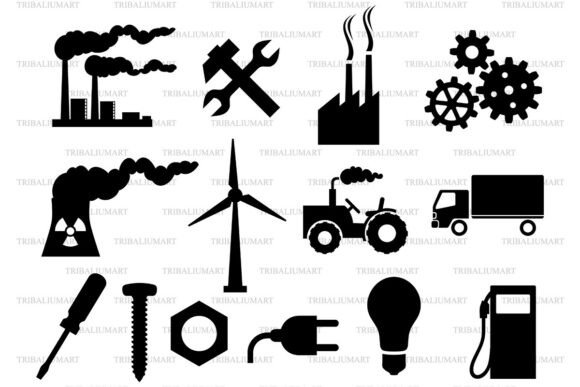
If you're designing a presentation for a manufacturing startup, building an energy-sector website, or crafting branded infographics for an engineering firm, clean, scalable industrial icons make a real difference. The Industrial Icons Set - Factory, Gears, T delivers exactly that: 14 bold black silhouette icons—including factory, gears, wind turbine, tractor, truck, nuclear plant, wrench, hammer, blueprint, gearwheel, oil drum, crane, circuit board, and steel beam—all rendered in a clean, minimalist vector style. It’s built for clarity, consistency, and versatility—not just decoration.
Why This Set Fits Real Work (Not Just Aesthetic Trends)
Unlike generic icon packs with inconsistent stroke weights or mismatched proportions, this set was designed as a unified system. Each icon shares the same visual language: sharp edges, balanced negative space, and uniform line thickness. That means your slide deck won’t look like it was assembled from five different sources—and your logo or app interface won’t suffer from visual friction when icons appear side by side.
It’s especially helpful for professionals who need icons that scale flawlessly—from tiny favicons to large-format trade show banners. Because every icon is vector-based, resizing doesn’t degrade quality. And since they’re delivered in SVG, EPS, PDF, PNG, and JPEG, you’re covered whether you’re editing in Canva, prepping files for Cricut or Silhouette cutting machines, or handing assets off to a print vendor.
A Common Misstep: Assuming “All Icon Sets Are Equal”
Many buyers assume that if an icon pack includes “factory” and “gears,” it’s ready for professional use—only to discover later that the files lack transparency (PNGs with white backgrounds), have inconsistent sizing, or contain embedded raster elements that break when scaled. Worse, some sets bundle icons in one master file instead of individual assets—forcing extra time to isolate each icon manually.
With the Industrial Icons Set - Factory, Gears, T, that’s not the case—but only if you know what you’re getting. The ZIP contains the *entire set* in *each format*. That means one SVG file with all 14 icons grouped logically (ideal for web use), one EPS file ready for Illustrator, one PDF for quick viewing or print prep, plus high-res PNG and JPEG versions. You’re not downloading 14 separate SVGs—you get smart, organized, production-ready files.
What People Overlook Before Downloading
First: software compatibility. SVG works natively in modern browsers and tools like Figma, Canva, and WordPress block editors—but older versions of PowerPoint or basic image editors may not render them correctly. If you plan to edit paths or adjust colors, you’ll want the EPS or SVG files opened in vector software (Illustrator, Affinity Designer, Inkscape). JPEG and PNG are great for immediate placement, but they can’t be recolored or resized infinitely without quality loss.
Second: licensing scope. This set is licensed for both personal and commercial use—no attribution required—but it’s strictly for digital and physical end products you create (e.g., reports, websites, merchandise, presentations). You can’t resell the icons themselves as standalone assets or include them in another icon pack you distribute.
Third: color flexibility. These icons are delivered in solid black on transparent backgrounds—intentionally. That makes them easy to recolor in vector editors or overlay on any background. But if you need multi-color versions out of the box, this isn’t the set. Its strength lies in simplicity and adaptability—not preset styling.
How to Use These Icons Without Wasting Time
Start with your use case. Need icons for a pitch deck? Pull the SVG or PDF into PowerPoint or Google Slides (paste as vector where supported, or use high-DPI PNGs). Building a website? Embed the SVG inline for crisp rendering at any screen size—or link to optimized SVG sprites. Creating vinyl decals or heat-transfer designs? Import the EPS or SVG into Cricut Design Space or Silhouette Studio, ungroup if needed, and resize freely—the vectors hold up.
A practical tip: test one icon first. Open the SVG in a browser or vector editor. Zoom in to 400%. Check for stray anchor points, blurry edges, or inconsistent spacing. If it holds up cleanly, the rest will too—because this set was built with technical precision, not visual approximation.
Avoiding Costly Workflow Gaps
One overlooked issue is file organization. Some users download the ZIP, extract it, and immediately start dragging files into projects—only to lose track of which format goes where. Here’s a better approach: rename folders clearly—/SVG-web, /EPS-edit, /PNG-print—and keep the original ZIP archived. That way, if you ever need to re-download or verify integrity, you’ve got a known-good source.
Also, don’t skip checking DPI on raster files. The included PNGs are 300 DPI at 2048×2048 px—more than enough for most print and digital uses. But if you’re printing at billboard scale, stick with SVG or EPS. Raster files, no matter how high-res, have hard limits.
Who Benefits Most—and How
Freelancers building client websites appreciate the time saved: no hunting for matching icons or adjusting stroke weights across 14 assets. Educators creating STEM lesson materials find the clarity helps students focus on concepts—not confusing visuals. Small business owners launching an industrial supply store use the truck, gear, and factory icons across social posts, email headers, and product labels—keeping branding cohesive without hiring a designer.
Even hobbyists using Cricut to make workshop signs or metal-themed greeting cards benefit. The clean silhouettes cut precisely, and the black-on-transparent base means no extra masking or background removal.
Final Thought: Clarity Starts With the Right Tools
The Industrial Icons Set - Factory, Gears, T isn’t about adding more graphics to your library—it’s about reducing friction in communication. When your audience sees a recognizable, well-proportioned wind turbine icon next to “renewable energy strategy,” the message lands faster. When your construction client opens a proposal and sees consistent, professional-grade icons throughout, trust builds before the first paragraph is read.
Just remember: these are digital files only—no physical item ships. Make sure you have access to software that supports SVG, EPS, or PDF import before purchasing. And if you’re new to vector editing, try opening one SVG in a free tool like Inkscape first. It’s a low-risk way to confirm everything works as expected—before you build your entire project around it.